Panama: a personal digital Aristotle
Hanging with Aristotle
Wouldn't it be awesome if, just like Alexander the Great, you had a tutor so sophisticated that they could design a custom curriculum with your goals in mind, tailored perfectly for you? Not just that, but someone who could quickly identify areas where you are stuck and find ways to move past them? One who could backtrack to the topics you need in order to move forward.
I believe I first heard of this idea of a digital Aristotle from this video from CGP Grey.
The problem is that most learning materials or processes are not optimized for you. A teacher in a classroom has to teach a bunch of people all at different levels. Some struggling, others bored, making group activities oh so fun.
Learning materials are often written by experts for beginners, who have expert biases and have long forgotten the struggles they faced when learning the material. I could go on and on. It is a very hard problem.
This seemed like a fantasy up until recently. I think tools like Claude are now up to the task.
Panama
Here is my attempt at this.
This app grew out of a personal flash card app I have been using for years. The one core addition to the standard flash card is that it has a drawing surface, so you can hand-draw anything to help make difficult things stick. I have been learning German for many years, and advanced German words can have multiple meanings, so finding a mental hook is hard. This is where the image comes in. I stole this idea from Fluent Forever, a book by Gabriel Wyner. In the book he advocates for using Google image search to find images. I found that time-consuming, so I added a simple drawing surface.
Why is it called Panama? No real reason, other than that naming things is hard and I started the rewrite of my flash card app while I was in Panama.
Digital Aristotle
The app is broken into three modes:
- Flashcards using spaced repetition. This is to help you learn useful facts.
- Tutor: A Socratic tutor that works you through a topic by asking questions.
- Quiz: A set of quizzes that identify gaps in your knowledge.
Flashcards
These can be used independently and alongside the tutors. You can go in and add cards. The card addition has a couple of nice features.
- Image upload or drawing surface to add a front image to a card
- A chat window to discuss a card before adding. I find this helpful in language learning to get clarification on a word or a good example before adding.
These then work like a normal spaced repetition system (SRS). Cards are reviewed, and you score how easy or difficult each one was, and that determines when you see them next.
Tutors
Here is the heart of it. Create a tutor in the UI for the subject you want. You can define the scope and what the goal is. Claude will put together a list of high-level topics to get started.
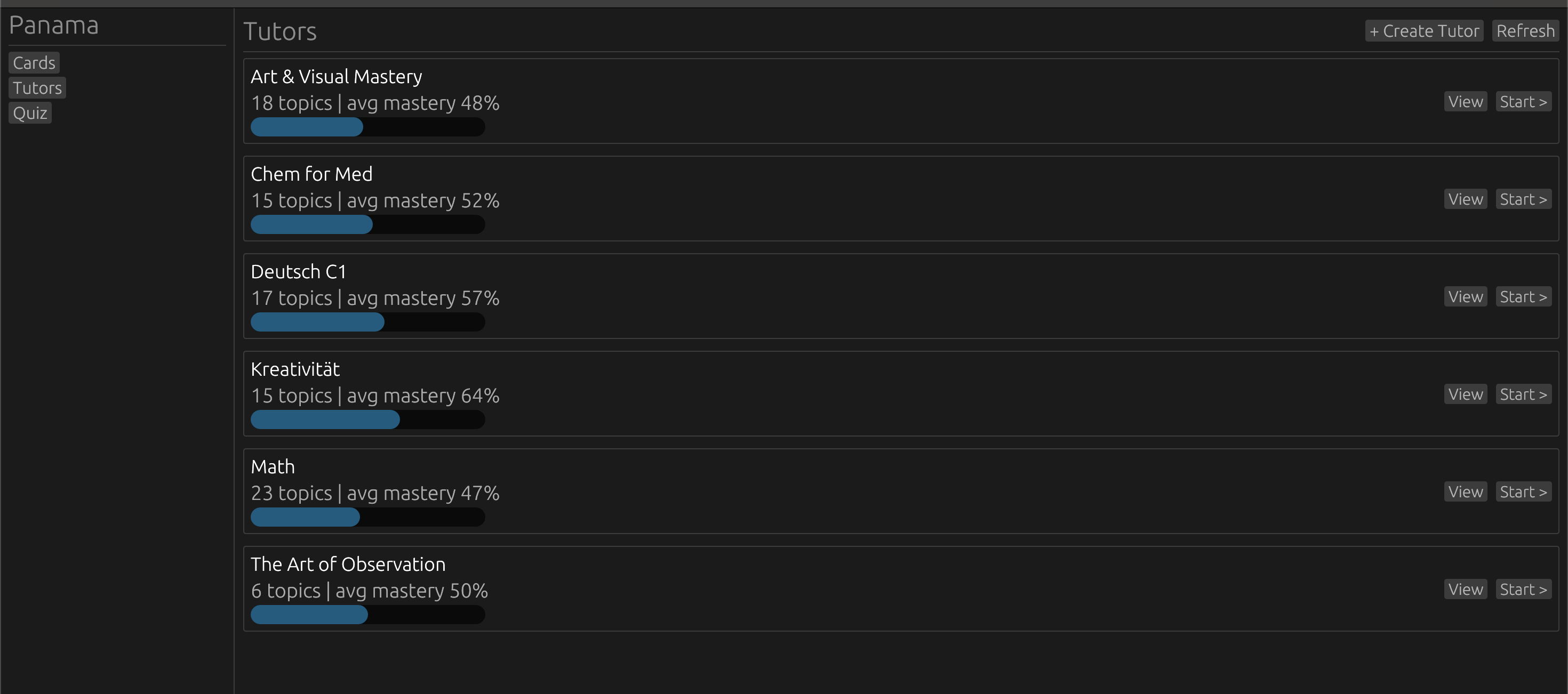
So for Statistics and Probability it could be a few things like:
- Conditional Probability
- Binomial Distribution
- etc...
or below is the current topics for a Chemistry for Medicine tutor.
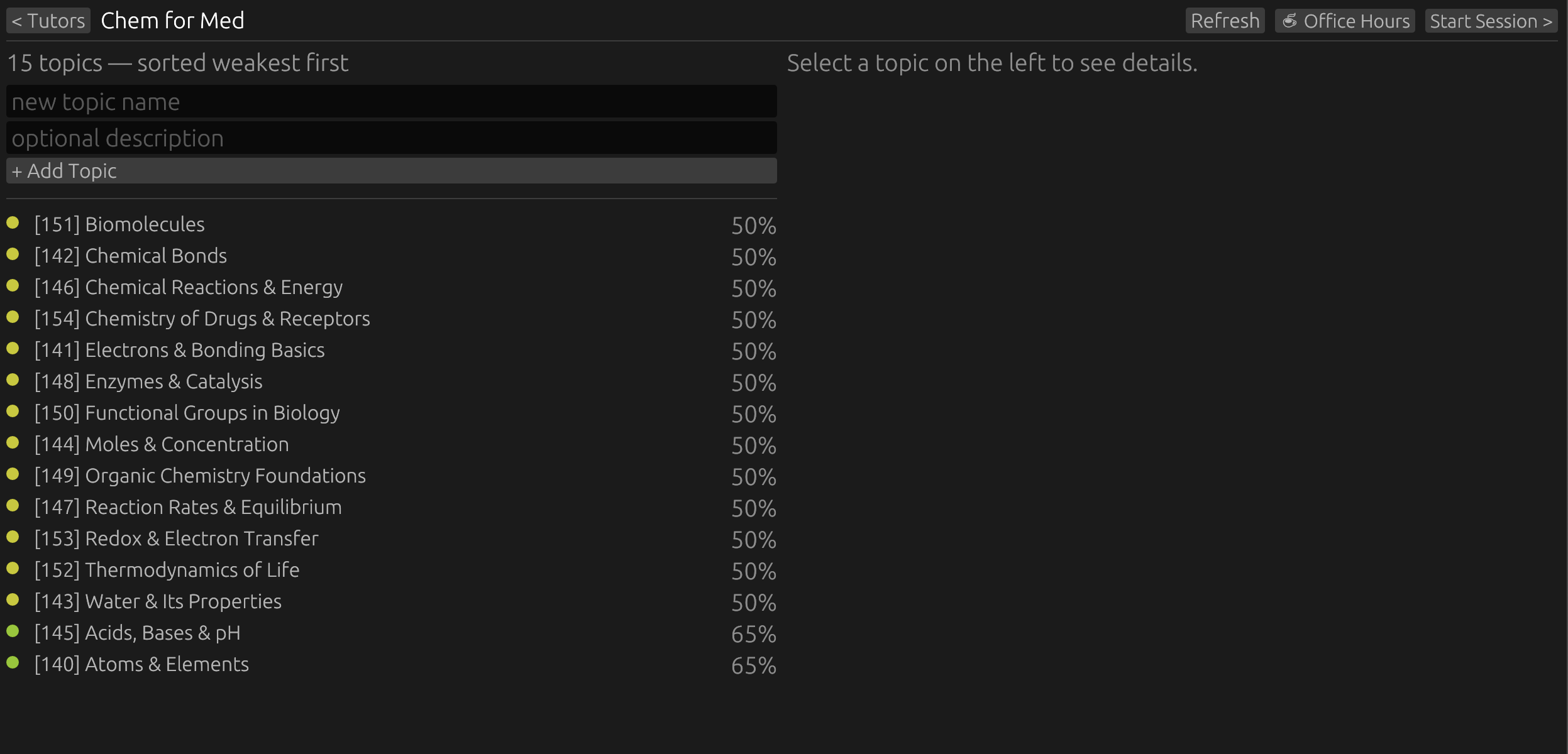
They are meant to be high-level to start.
Every day you go in and start the tutor, it will pick one of the topics based on a mastery score. So things that you are struggling with will go first.
The tutor itself is just a chat window with Claude. It uses the topic and other information as a starting point for the chat. Then it follows a Socratic-style method to walk you through the topic.
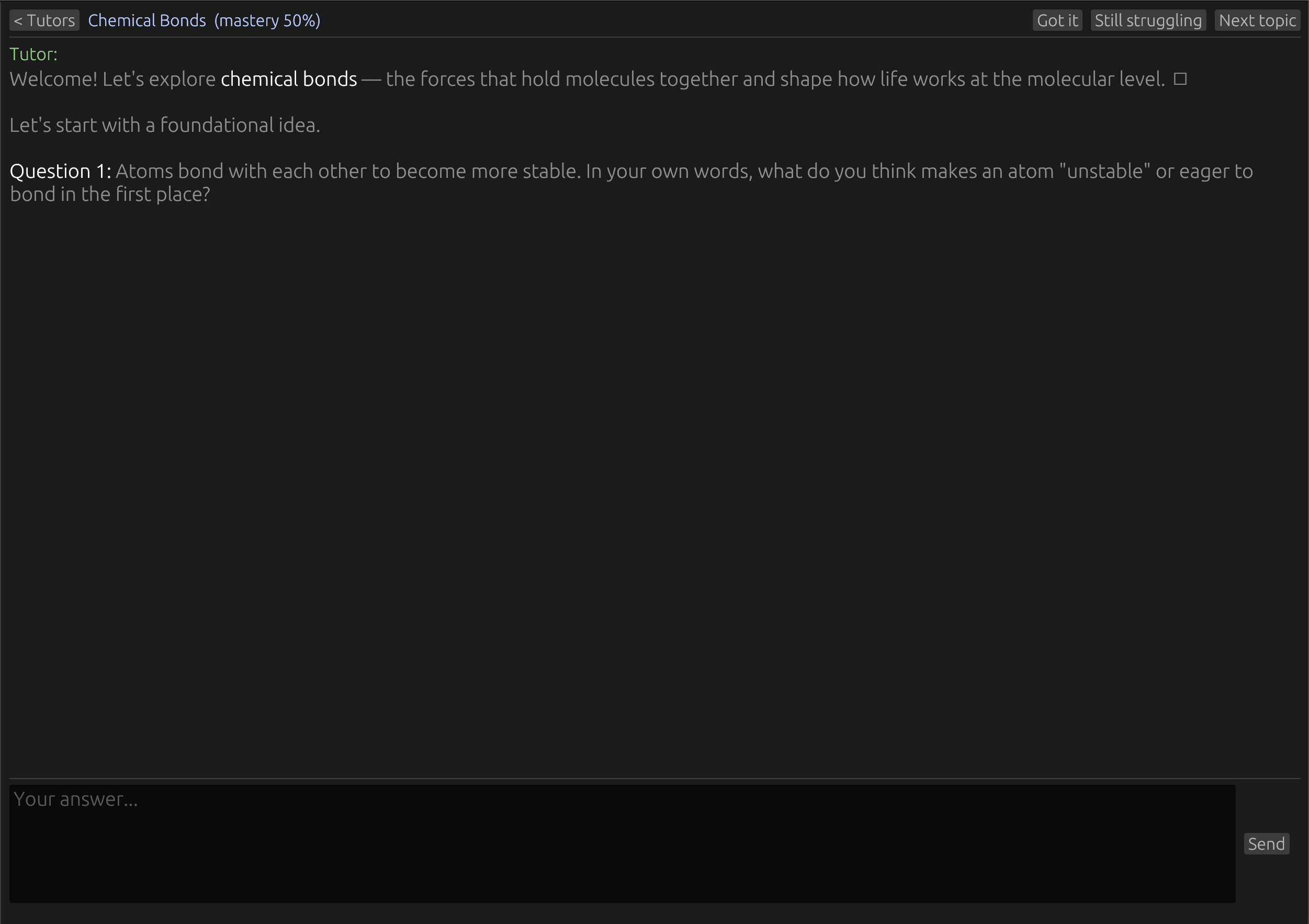
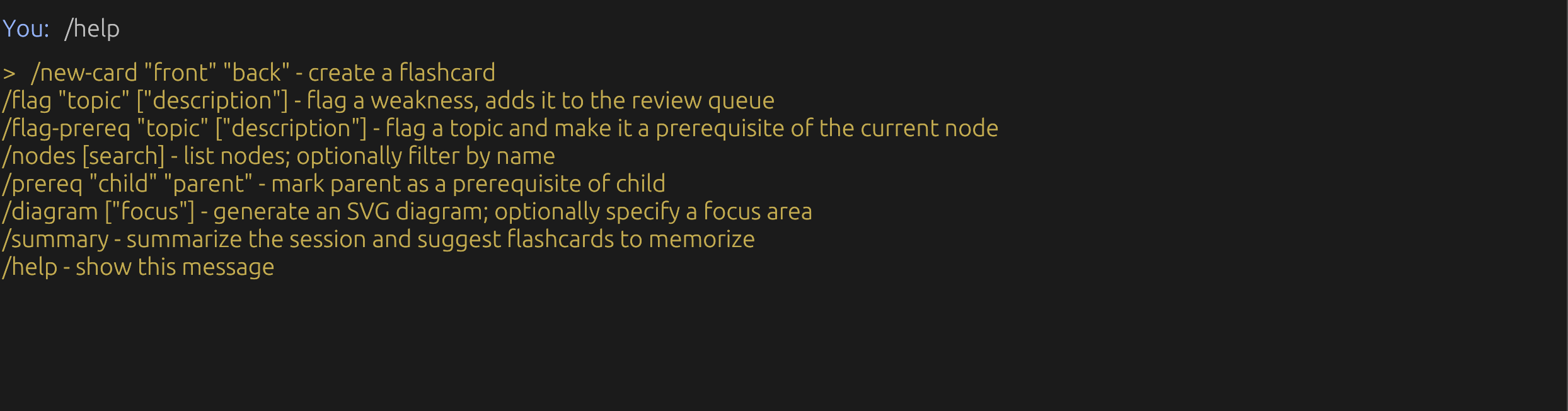
As you go it will start to identify gaps in your knowledge. It can then recommend that you dive deeper on a topic by flagging it.
You can also flag a topic and set it as a prerequisite. So as you go, you build out a more and more detailed graph of what you need to know and where your gaps are.
The tutor will also recommend flash cards that should be added to help lock in a fact. You can also do this at any time.
When you are done with the session, you can run a summary command to get an overview of the session and useful flash cards.
The cards then just become part of your normal flash card review.
Quiz
So the tutor, over time, gets more and more precise about the things you need to learn and focus on, as well as feeding you flash cards to help make the information stick long term.
Then you can create quizzes for the topic, and these will also rank what the tutor focuses on next time. If you bomb a quiz, that topic's mastery score will decrease and you can focus on it.
Conclusion
I use this app every morning and I love it. It is exciting to be able to learn at a pace that matches where you are, on topics you actually want to learn. With a lot of learning material it feels like you are slogging through sections just to get to a point. Sometimes, sure, you need that foundation; other times you have a question you are screaming to find the answer to.
With this, at any time, you can ask those questions or focus on an aspect, just like a live private tutor.
I doubt this is the final form, and I will probably change and add things. This is also tuned for me and my learning goals. That is the beauty of having coding assistants: it is easier now than ever to make apps for an audience of 1.
So I am releasing this code as is. You are more than welcome to use it as it is, fork it, or, what I hope, make your own version of it in a different way. What would a personal Aristotle look like for you?
In the GitHub repo, I also checked in the tutors and quizzes I am currently using. Feel free to steal any part.
One note on the code: I have done some work to clean it up, but this app has gone through many iterations, importing old code and also my early attempts at learning Rust, so be aware.